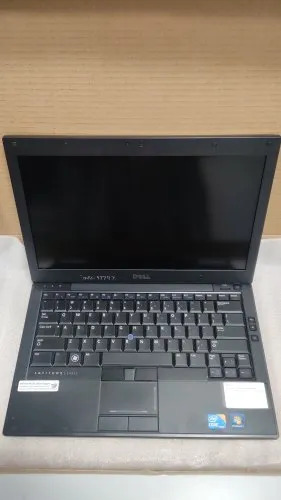
About Dell E4310 Laptop
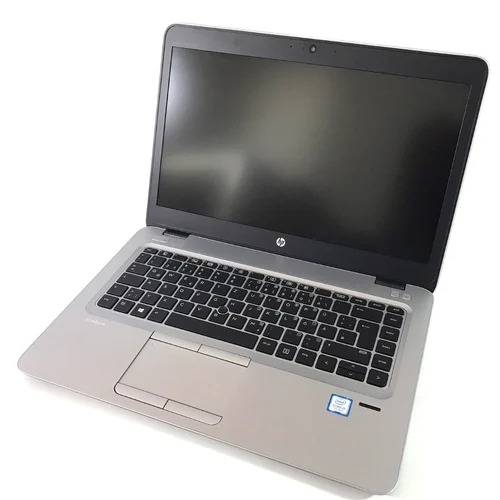
The Dell E4310 Laptop is a best-seller, designed for business professionals who demand world-class performance with enduring value. Powered by an Intel Core i5 processor and boasting 4GB DDR3 RAM, this affordable machine offers ultimate multitasking efficiency. Featuring a grandiose 13.3-inch LED display, integrated webcam and Bluetooth, plus a robust magnesium alloy chassis, it delivers reliability and style. With limited stock and an 'Ending Soon' promotion, seize this opportunity to upgrade to an outstanding device equipped with Wi-Fi, fingerprint security, and spill-resistant keyboard. Perfect for dynamic work environments.
How to Use and Key Features of Dell E4310 Laptop
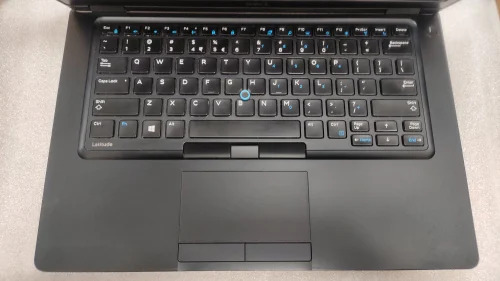
Getting started with the Dell E4310 is simple-just power on, connect to Wi-Fi, and log in using the spill-resistant, full-size keyboard or optional fingerprint reader. Its magnesium alloy chassis ensures durability, while the LED backlit display offers vibrant visuals. This business laptop is designed for daily use, with an upgradable hard drive and memory, and supports external DVD ROMs for added versatility.
Global Export Policies and Shipping for Dell E4310 Laptop
We serve major export markets worldwide, ensuring secure shipping and efficient drop-off. Our sample policy is tailored to meet clients' evaluation requirements before bulk orders. FOB Port charges are transparent, supporting a hassle-free export process. With each laptop, customers receive reliable logistics, robust packaging, and dedicated support, ensuring your device reaches its destination quickly and in top condition.
FAQ's of Dell E4310 Laptop:
Q: How do I upgrade the RAM or storage on the Dell E4310 Laptop?
A: The Dell E4310 supports up to 8GB RAM and additional hard drive upgrades. Simply unscrew the access panel underneath the laptop to replace or add memory modules and storage drives.
Q: What are the primary benefits of the magnesium alloy chassis?
A: The magnesium alloy chassis provides enhanced durability, lightweight portability, and increased resistance to daily wear-ideal for frequent business travelers or office environments.
Q: Where is the fingerprint reader located, and is it essential?
A: The fingerprint reader, if equipped, is below the keyboard. While optional, it elevates security and streamlines login, especially for sensitive business applications.
Q: When should I opt for an external DVD ROM with this laptop?
A: Choose an external DVD ROM if you frequently access CDs or DVDs, since the Dell E4310 does not feature a built-in optical drive.
Q: How secure is the shipping process for international orders?
A: All international orders are handled with secure packaging and reliable freight partners, ensuring drop-off at your chosen destination in a timely and safe manner.
Q: What usage type is this laptop best suited for?
A: The Dell E4310 is designed for business users, student professionals, and anyone in need of an affordable, powerful, and portable computing solution.
 Send Inquiry



 Send Inquiry


 Send Inquiry